

To redeem your voucher, just follow these easy steps:
1. Search Property

Select your Check-In/Check-Out Date and enter "Promo27" in the Keywords field.
Click image to enlarge
2. Choose Nights & Reserve Your Stay
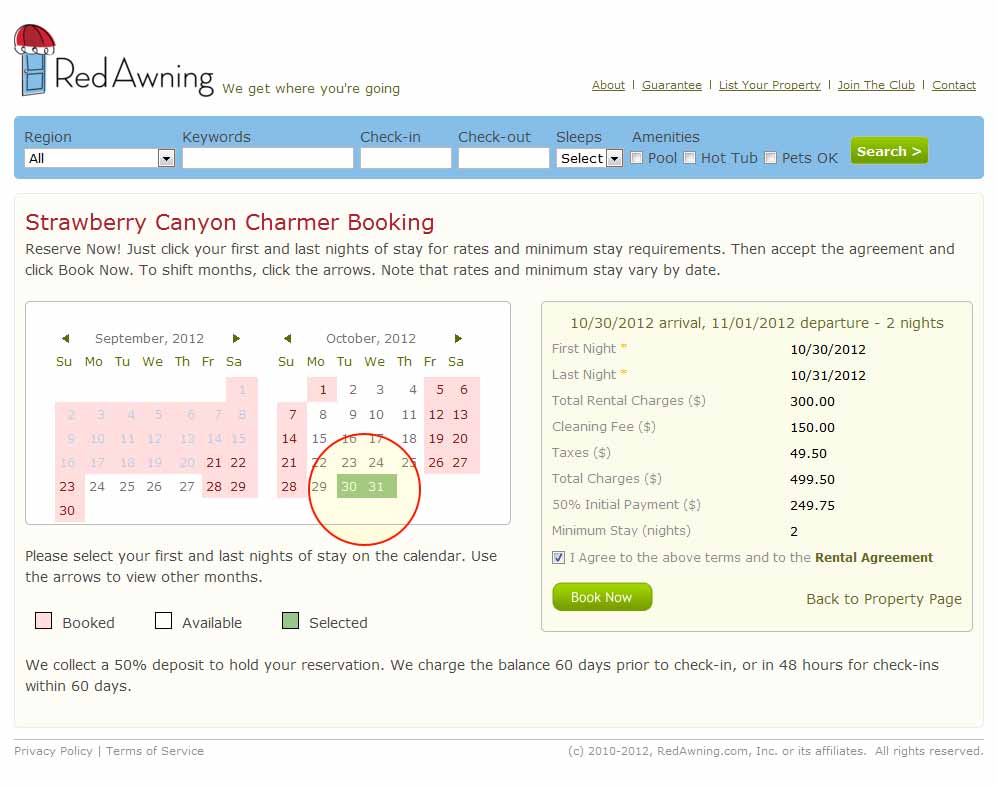
Please have at least 2-3 different choices for your stay! We really want to make sure you get the vacation you deserve!
Click image to enlarge
3. Enter Voucher ID in Notes field

This is so we can update your pricing once you've booked with us. Pricing will not update automatically.
Click image to enlarge
4. Pay 50% deposit to hold your reservation
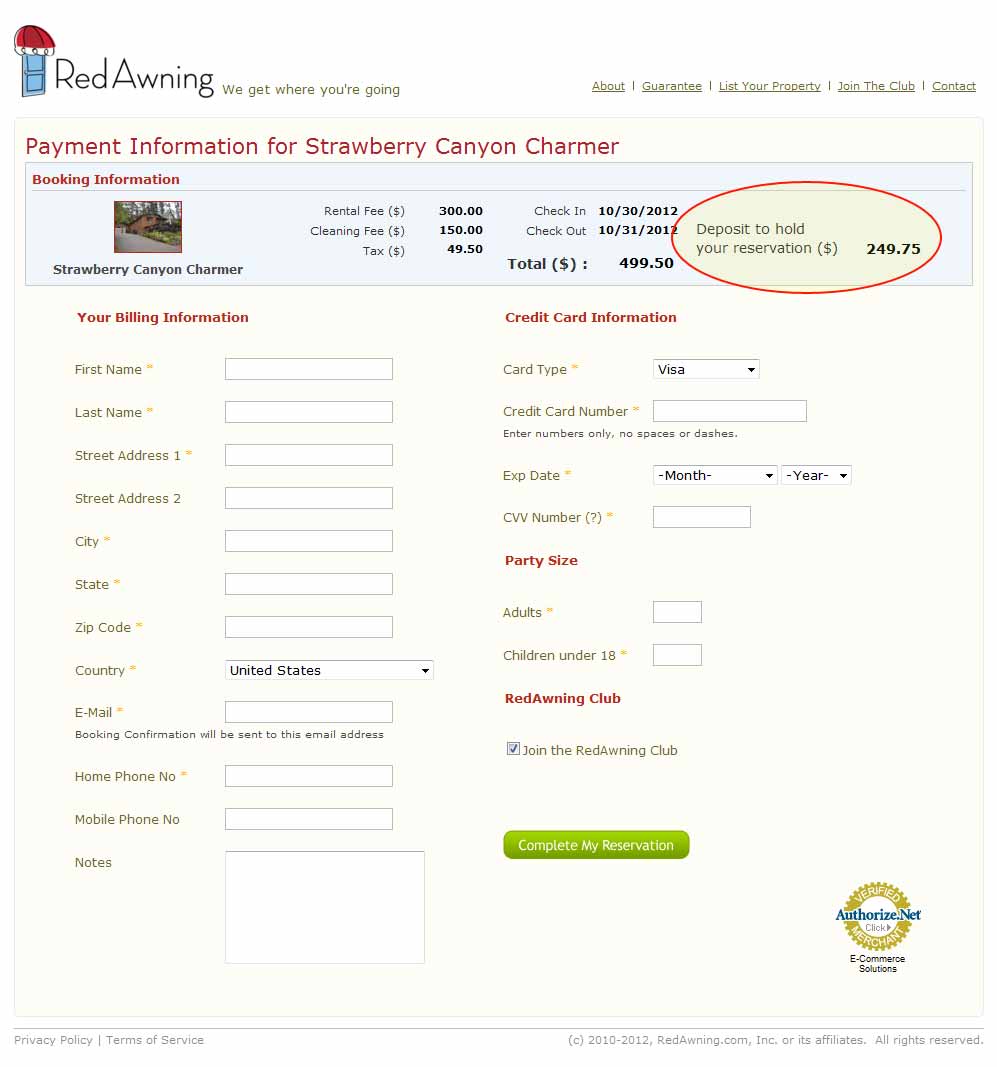
Don't worry - we will go ahead and process your voucher right away and refund you the difference between your 50% deposit and the cost of cleaning fees and taxes.
Click image to enlarge
5. Get updated pricing in email

The updated pricing email will show you that we only charged you for cleaning and taxes. Don't see it? Give us a call!
6. Enjoy!

Enjoy your trip and remember that RedAwning.com is here to help.
FAQs
Click through the different pages and check out the featured details for "Pets Allowed". You can also check the Pets OK box when you search.
Sorry, these are Blackout Dates: November 21-24, 2012 and December 23-26, 2012
Click the "Check Availability" button on the property page (any of the participating properties ) and then select the first and last nights of your stay on the calendar.
Go for it! You can add as many extra nights as you'd like at the same promotional rate! We will automatically adjust your additional night costs to apply the same discount as your voucher.
The cleaning fees reflects the amount of work needed to fully prepare the property for the next renter. Note that for vacation rentals, a housecleaner needs to travel to the location, clean all rooms, bathrooms, and kitchen, and launder all sheets and towels. For a carefree vacation, we also include $3,000 damage insurance with our stays at a cost of $40. If you would prefer a $500 security deposit authorized against your card, just let us know and we will refund the insurance.
Just print out your LivingSocial voucher and present it at the restaurant.
Vouchers are only valid for participating properties .
Don't worry - we will go ahead and process your voucher right away and refund you the difference between your 50% deposit and the cost of cleaning fees and taxes.
The standard RedAwning cancellation policy applies to all reservations. You have 24 hours after making your reservation to receive a full refund. Please be sure about your dates before making your reservation.
Taxes & cleaning fees are not included in your voucher purchase, and will be added in final billing. We also automatically include $3,000 damage insurance coverage for a carefree stay. If you would prefer a $500 security deposit authorized against your credit card, just let us know and we can refund the $40 damage insurance.
Remember, you already paid for the voucher, so we don't charge that here.
Voucher + Cleaning Fee + Taxes (10% County Tax) = Total Consumer Cost

 button