These instructions are for people who already have a Hotmail email account or a Windows Live account.
- Log into your hotmail account.
-
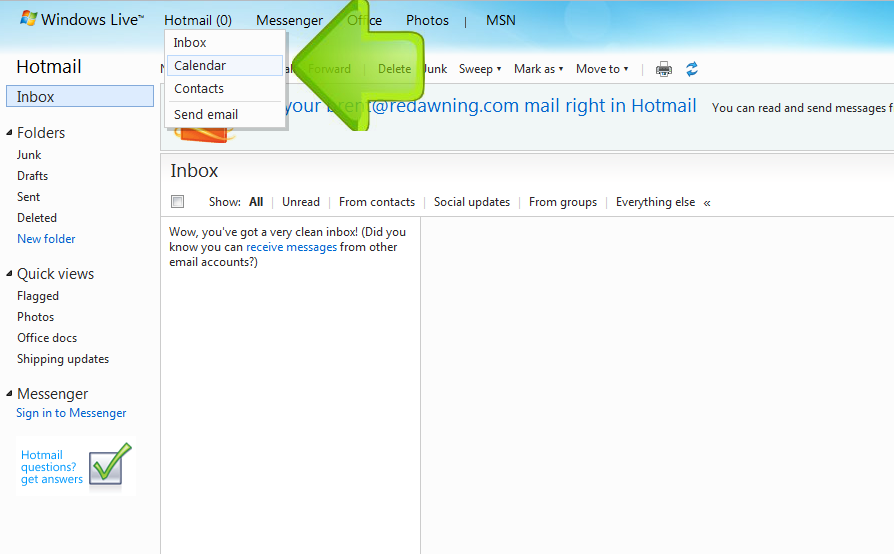
Put your mouse pointer over the Hotmail link at the top to get the dropdown menu. Click the Calendar button on the dropdown menu.
-
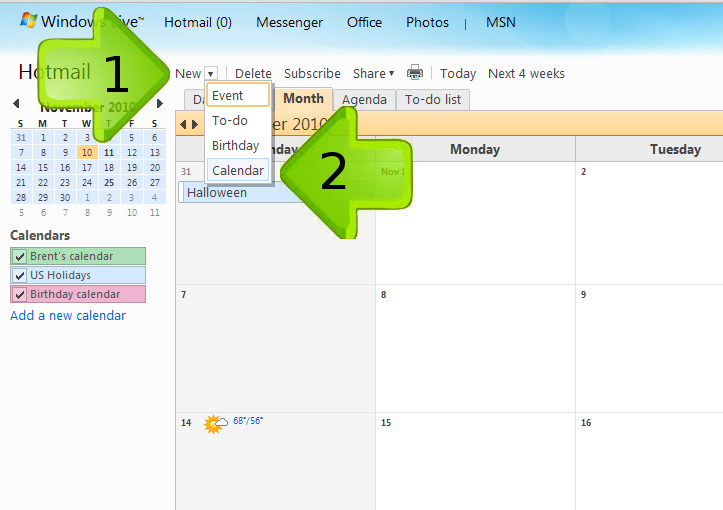
If you don't have a separate calendar for your property you should create one. Skip this step if you already have a calendar for your property. By createing a separate calendar for your property you will be able to keep your personal appointments separate from your bookings. In the calendar view click "New" on the menu bar. Then click on Calendar.
-
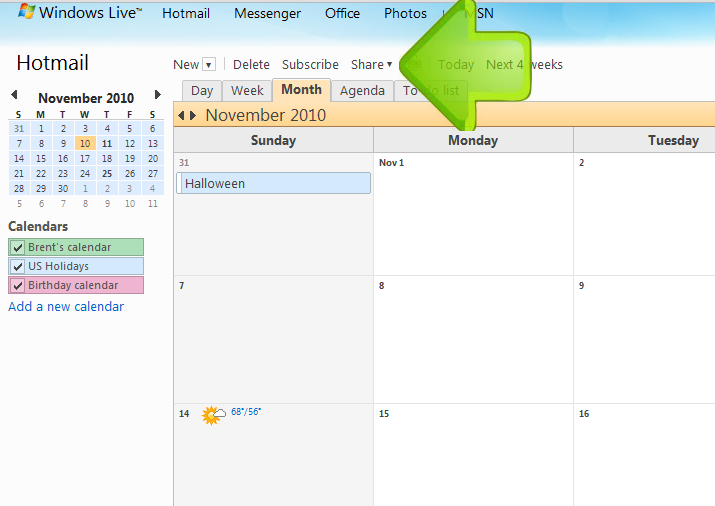
Now you need to share your calendar and create the special link that will let us read your booked dates from your calendar.
-
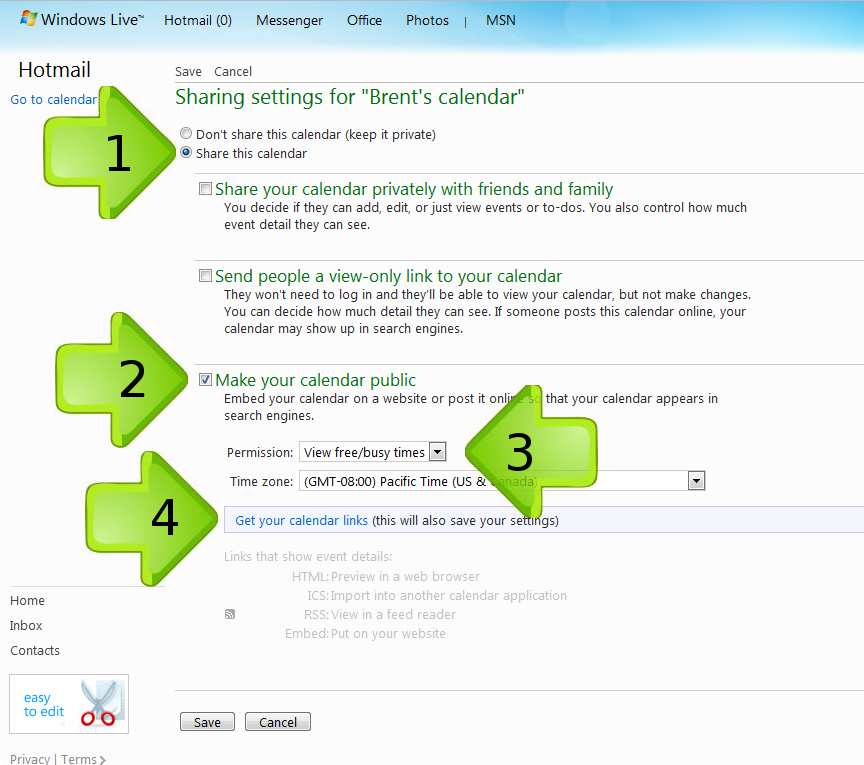
1) Select "Share this Calendar." 2) Check the box next to "Make Your Calendar Public." 3) Select "View free/busy times" from the dropbox so that no one else will be able to view any notes you add to your calendar. 4) Click on "Get your calendar links."
-
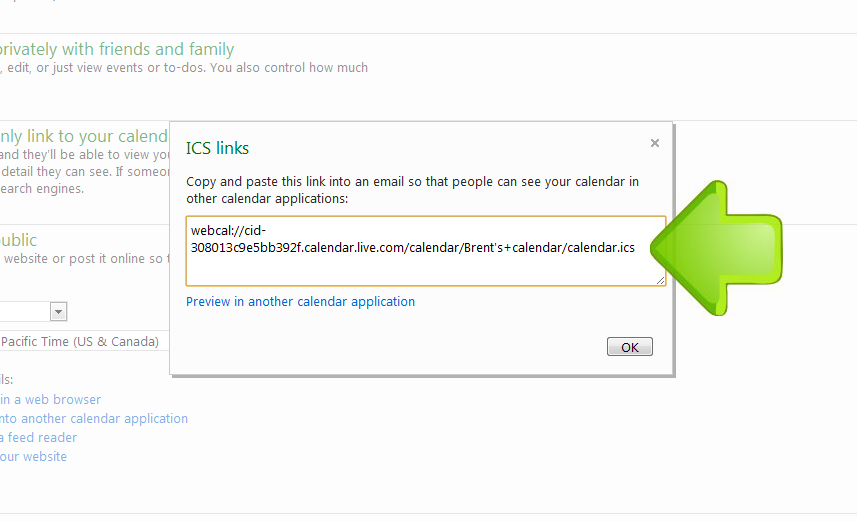
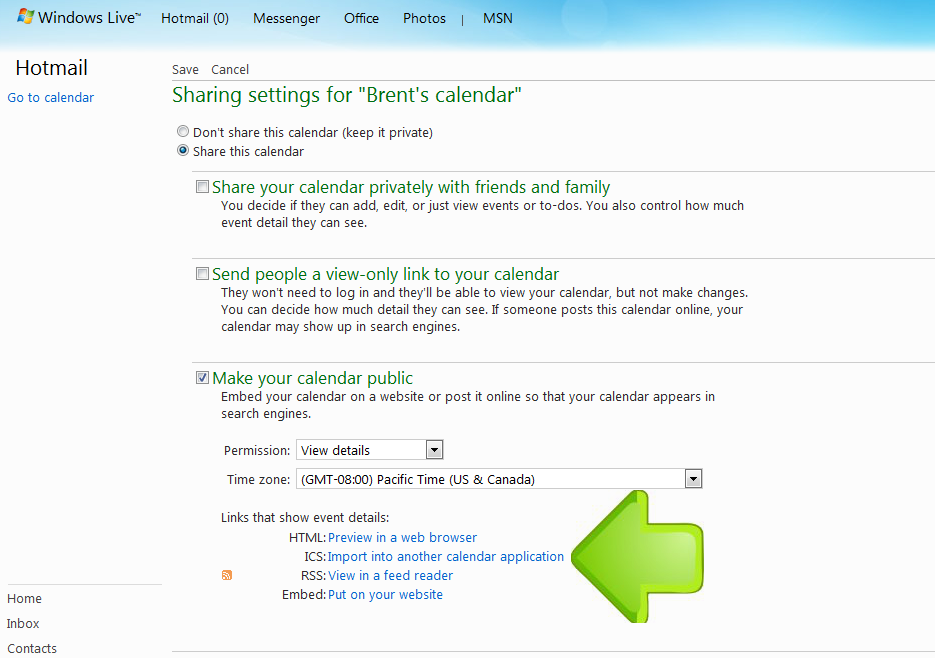
Click on "Import into another calendar application."
-
Copy the link you created. Just paste the link into an email to [email protected] and send it over to us - we'll do the rest. Also let us know if you enter your calendar dates as arrival and departure dates instead of by night - our system uses nights as a default. It can sometimes take a couple hours for our calendar to retreive your dates - if you have waitied for more than a day and your dates still are not correct let us know so we can figure out what is going wrong. Click the save link to save and exit the calendar settings.