
To get your calendar set up :

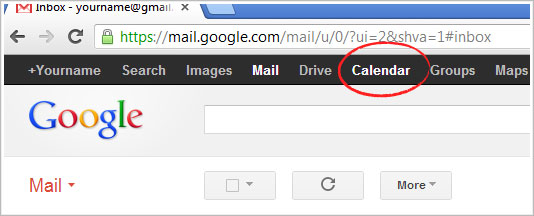
Go to your google email account (usually @gmail.com) and open the Calendar tab in the very top bar on the left side (listed along with Search, Images, Drive, etc).

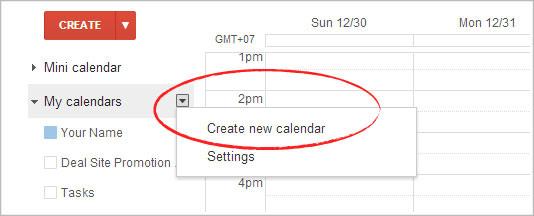
If you do not already have an especially designated calendar for your property, select the small drop down arrow next to "My Calendars" and " Create new calendar "

For this new calendar: fill out the Calendar Name, make sure the "Time Zone" is set to Pacific Standard Time (GMT -08:00), check the box that says "Share this calendar" and especially " make this calendar public " (you do not have to share it with specific people), finally, click "Create Calendar".
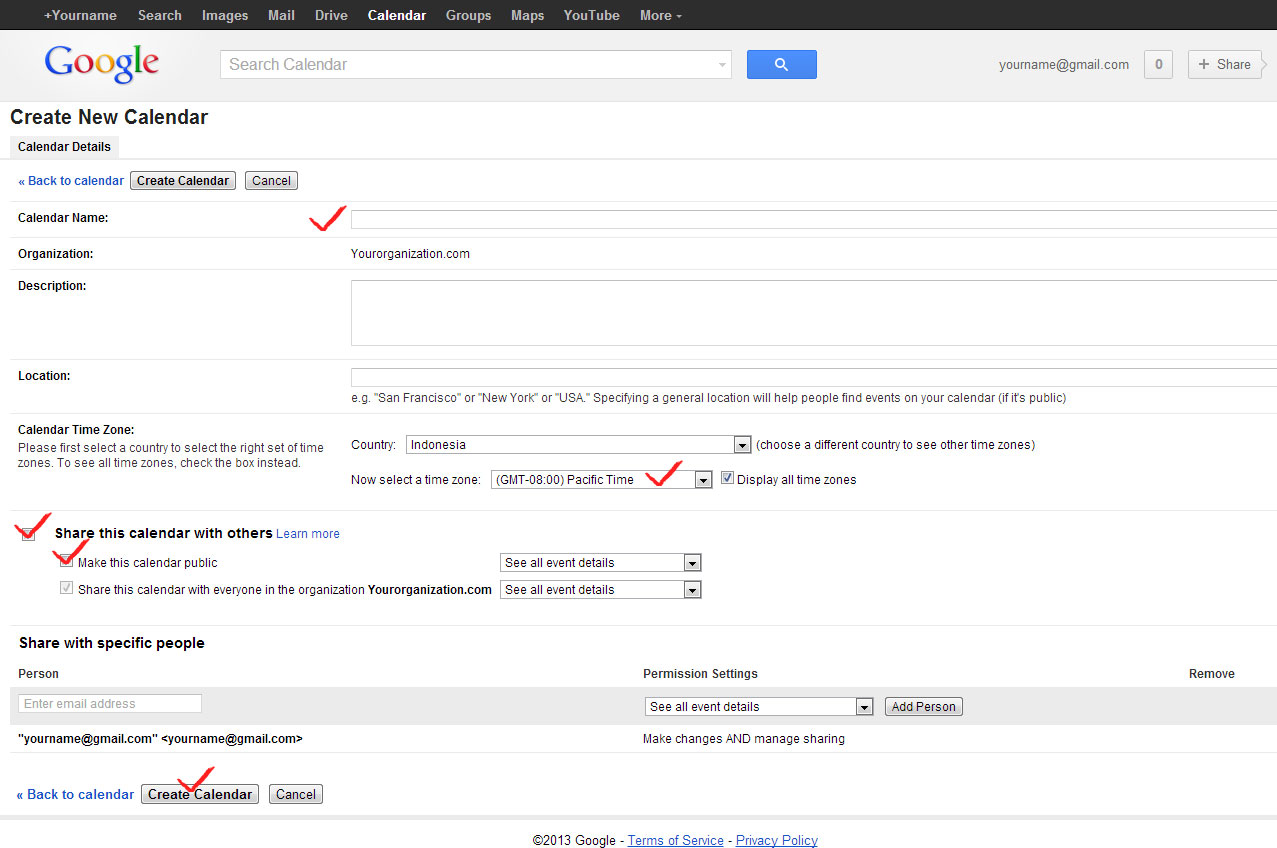
Click image to enlarge

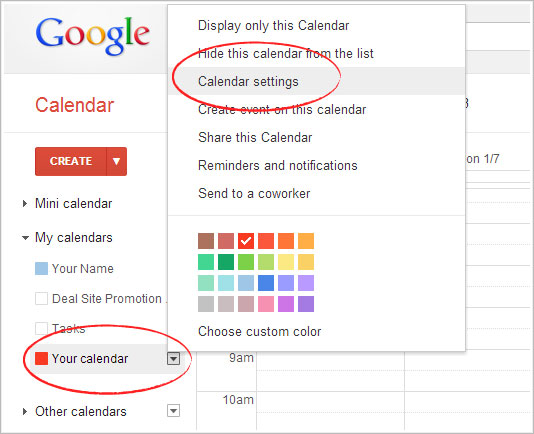
Your new calendar will show in the list under "My Calendars" on your calendar home page after you have saved the newly created calendar. When you see it there, select the small arrow to the left of the calendar name to see a drop down menu that includes " Calendar Settings " and open that item.

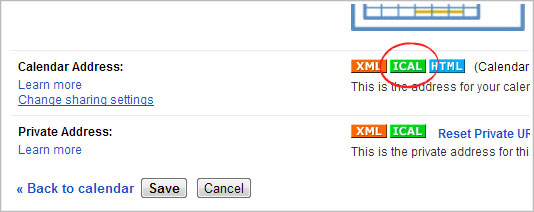
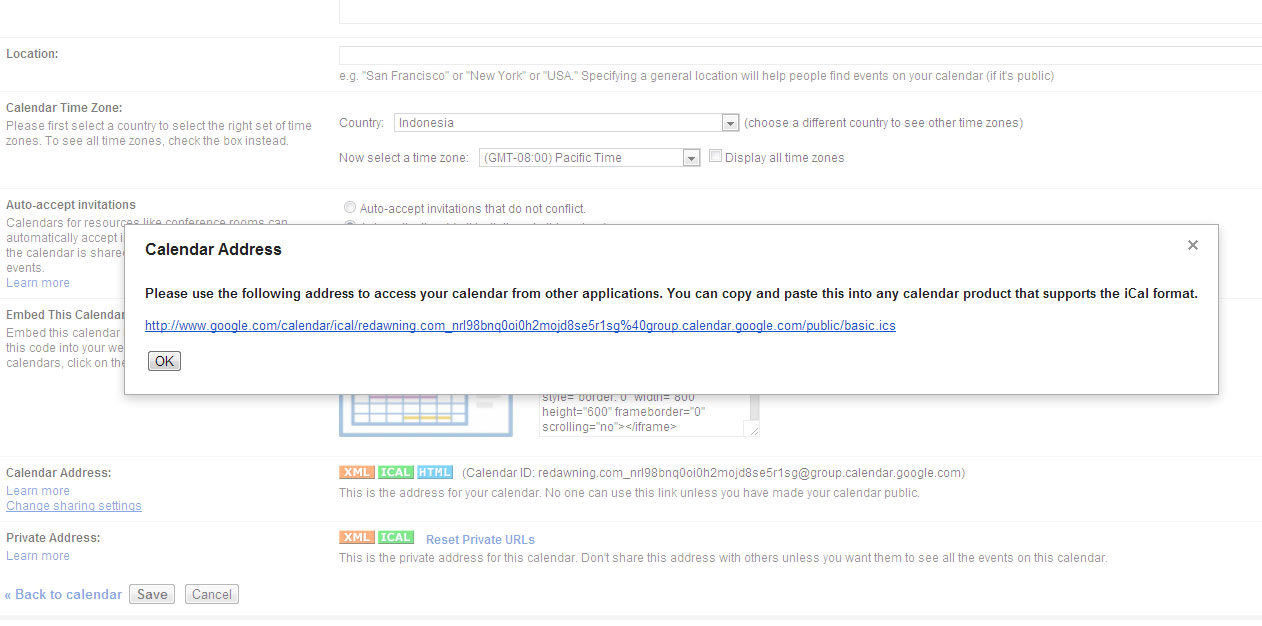
Look down the list of your settings until you see Calendar Address, and click on the green iCal button. Then simply copy that link, and send it to [email protected] .
Click image to enlarge